
Prepare an image before sharing
Inspect hidden metadata, create a clean copy, and verify the exported file in this browser. Your original stays on your device.
Built for one image at a time, with a verify step at the end that confirms nothing sensitive is left before you send it. Got a whole folder to get through instead? Use Image Meta Stripper.
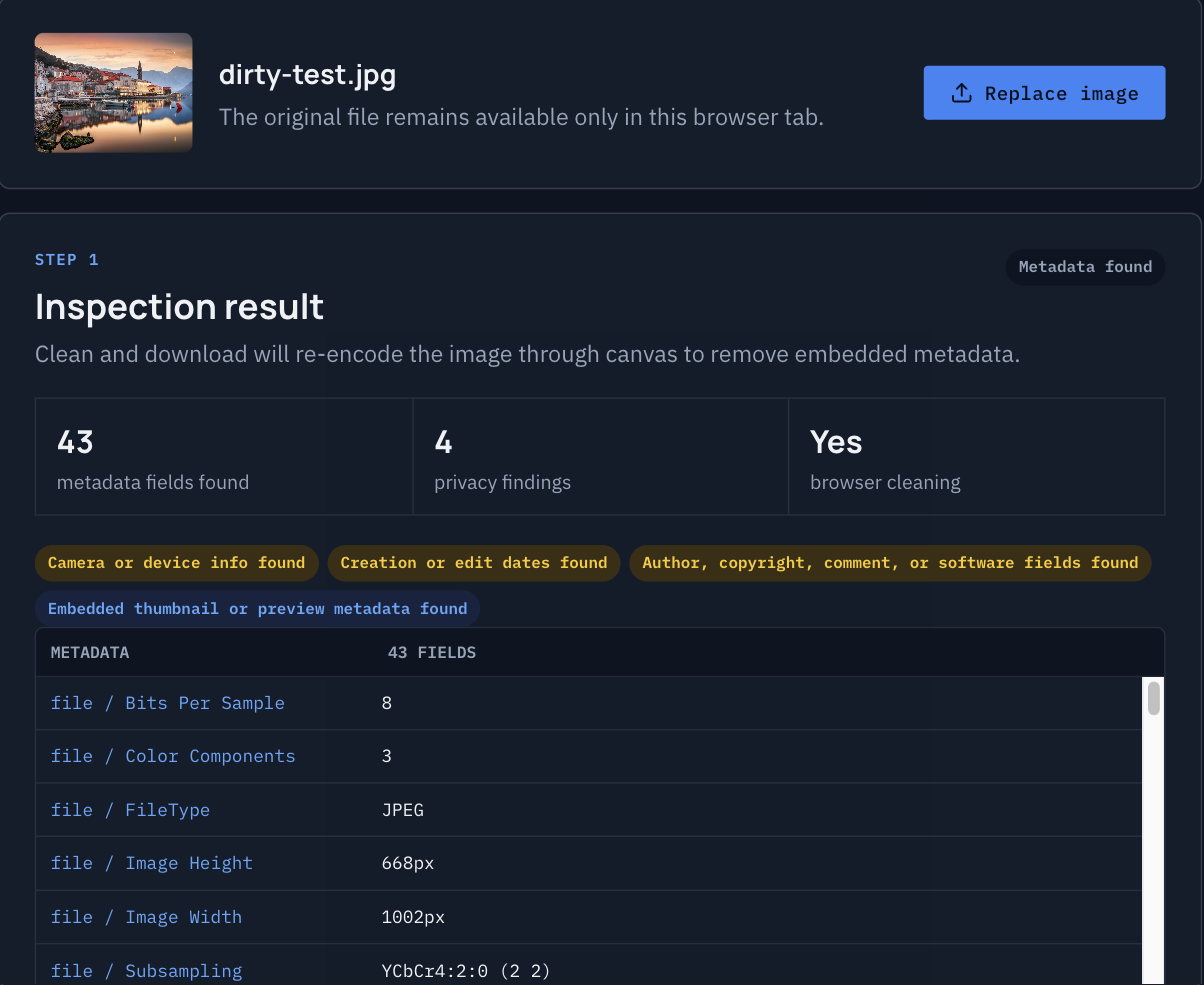 Before — 43 fields
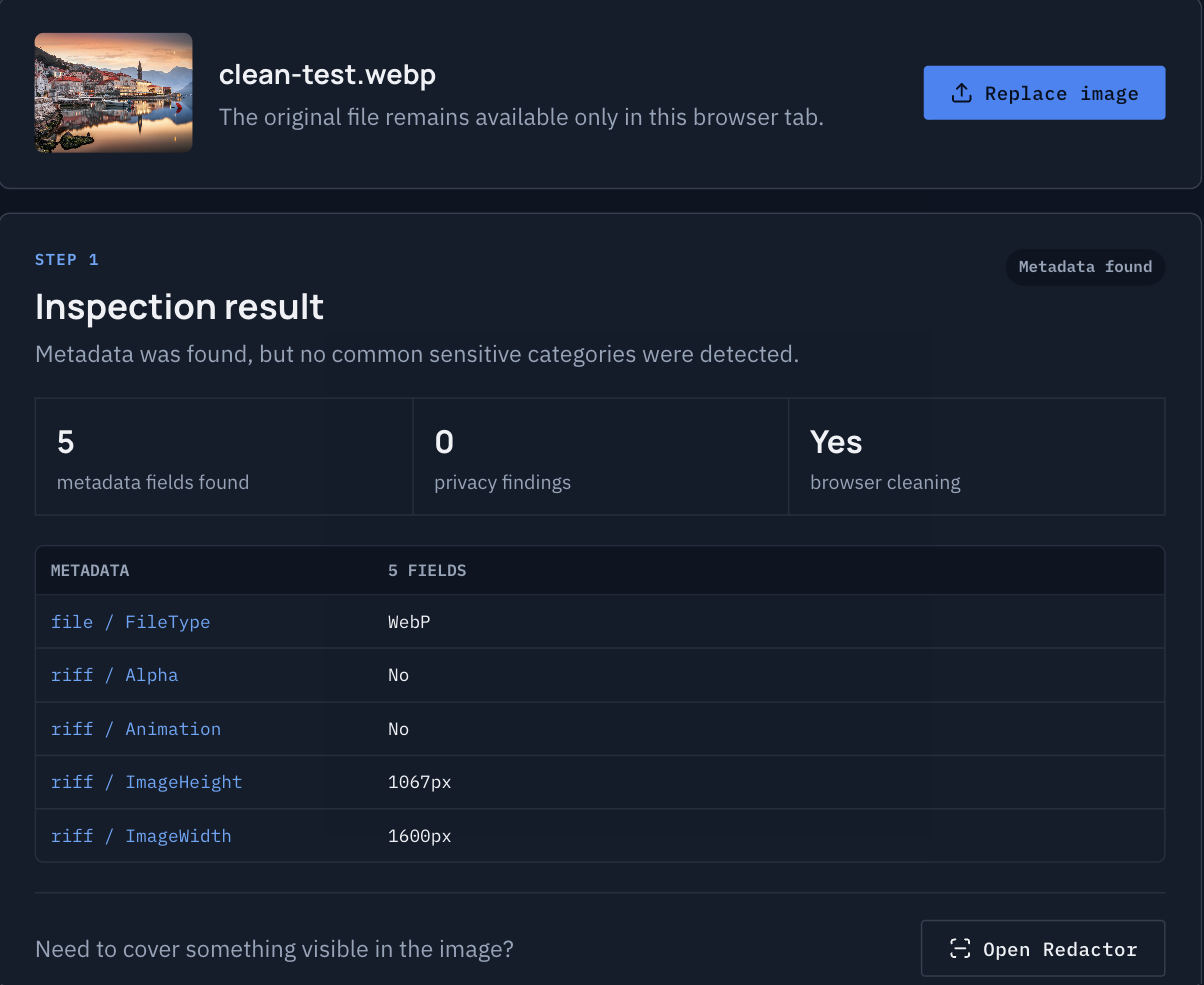 After — 5 fields
Drag to compare
Three steps, no upload.
Scan for privacy risks
Share-Safe checks the image for GPS coordinates, camera and device details, dates, author fields, and embedded previews.
Remove what it finds
Flagged metadata is stripped and the image is re-encoded into a new file, without ever leaving your browser.
Confirm the copy is clean
The exported file is automatically re-inspected, so you can see the result before you send it anywhere.
Most file tools send your files to someone else's server first. NoUpload doesn't.
For client work, ID scans, medical documents, unreleased product shots, or anything else you do not want sitting in a stranger's storage, the safer upload is the one that never happens.
File processing runs in your browser. Google Analytics records page views and anonymous tool-usage events, but NoUpload does not send filenames, metadata values, file sizes, image blobs, or other file details as analytics data.
- Your files never leave your device
- No account, sign-in, or email required
- Analytics events record only which tool and page were used
- No server-side file processing path
Don’t take our word for it. Check.
Anyone can claim files stay on your device. Here is how to confirm it yourself in under a minute, with tools already in your browser.
- Open the Network panel. Press F12 (Windows/Linux) or ⌥⌘I (Mac) and choose the Network tab.
- Process a file. Add an image and run any tool, then download the result.
- Read the requests. You will see page assets and small anonymous analytics pings. No request carries your image.
Or go further: load the page, switch off Wi-Fi, and use the tool. Processing still works, because it never needed a server.
Privacy & terms
What NoUpload does with files: image inspection, cleaning, resizing, and compression happen in your browser. Your files are not uploaded to NoUpload for processing.
What this site collects: standard page-view analytics plus anonymous usage events (a tool was opened, a file was added, processing started, an export completed) that record only the tool and page name. Google Analytics may record approximate location, device/browser type, and pages visited. NoUpload does not send filenames, image data, metadata values, file sizes, dimensions, or file counts.
Terms: NoUpload is provided free, as-is, with no warranty of any kind. Use it at your own risk.